TL;DR — 3-Minute Summary
- The Problem: Manual scheduling costs you 5-8 hours per week and leads to missed jobs, double-bookings, and frustrated technicians
- Best for contractors: Workflow automation that connects scheduling to your CRM, not another standalone app
- Real cost: Employee scheduling software ranges from $29/month (basic) to $500+ (enterprise). Most contractors overpay for features they don't use
- What actually works: Automated scheduling that syncs with monday.com, Hubspot, or your existing CRM — no manual entry, no phone tag
- ROI: Save 5+ hours/week = $1,200-2,400/month in recovered time at $60-100/hour
Why I'm Writing This
Three months ago, I watched a Wichita HVAC contractor spend 45 minutes on the phone trying to schedule one job.
The homeowner called at 2 PM. The owner had to:
- Check which techs were available
- Call two techs to see who could fit it in
- Call the customer back (went to voicemail)
- Play phone tag for another 20 minutes
- Finally book the appointment
- Manually add it to the calendar
- Text the tech the details
Total time: 45 minutes for one job.
This happens 10-20 times per week for most contractors. That's 7-15 hours of pure scheduling overhead.
You're not running a scheduling business. You're running an HVAC/plumbing/electrical business.
So I spent the last three months testing every employee scheduling software option for service contractors in Wichita. Here's what actually works.
The Employee Scheduling Software Trap
Most contractors think they need "employee scheduling software." So they sign up for:
- Homebase — Good for shift-based retail, terrible for service calls
- When I Work — Requires every tech to download an app and check it constantly
- Deputy — Powerful, but overkill for teams under 20 people
- Sling — Better for restaurants than field service
These tools solve a different problem. They're built for retail stores and restaurants with predictable shifts, not service businesses with dynamic schedules.
The real issue isn't employee scheduling — it's workflow automation.
You don't just need to schedule your techs. You need to:
- Capture the lead when they call or submit a form
- Qualify the job (emergency vs. routine, budget, location)
- Check tech availability automatically
- Book the appointment
- Notify the tech
- Send the customer a confirmation
- Update your CRM
- Send a reminder the day before
That's not employee scheduling software. That's business automation.
What Actually Works: Workflow Automation + CRM
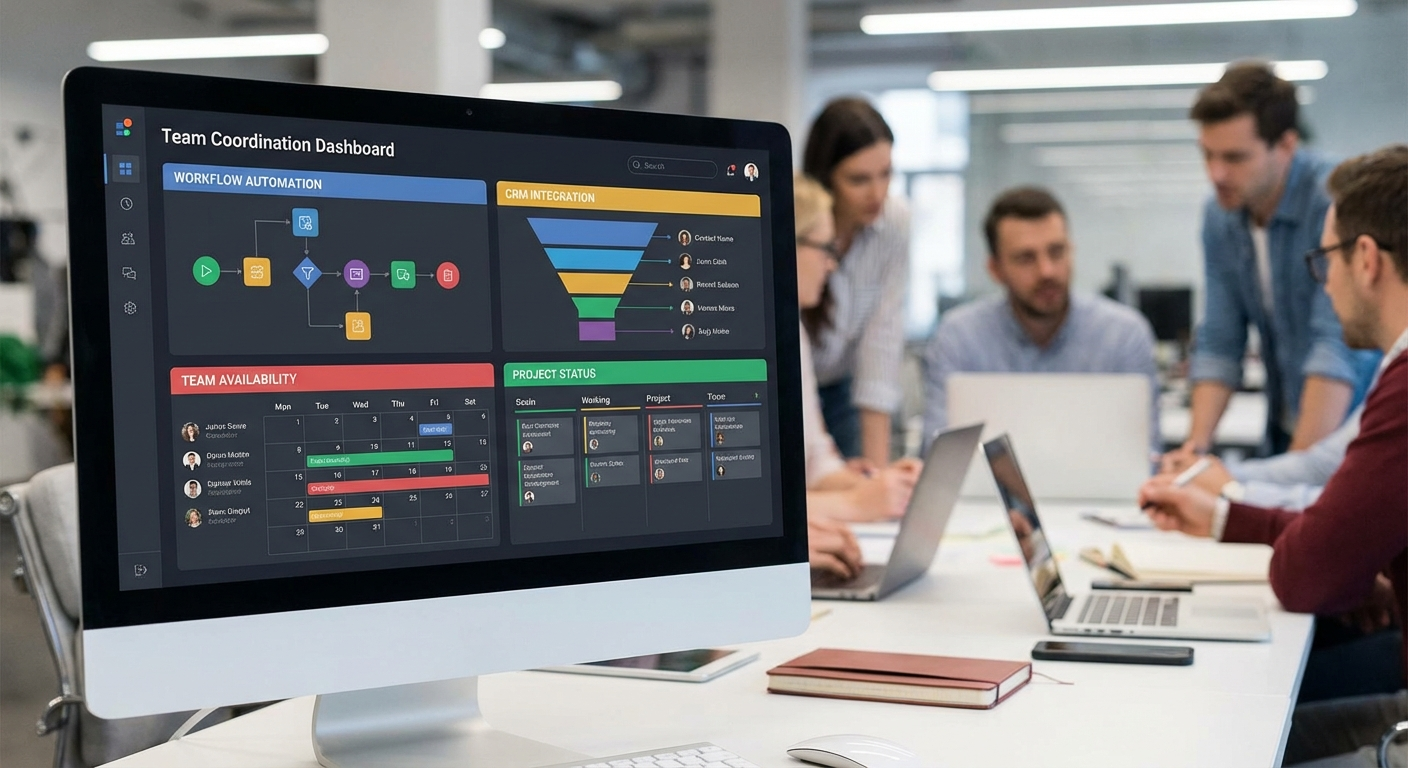
The contractors I've talked to in Wichita who have this figured out aren't using "employee scheduling software." They're using workflow automation that connects their phone, website, and CRM.
Here's how it works:
1. Lead Capture (Automated)
Customer calls your number or submits a form on your website. An AI assistant answers, qualifies the job, and captures:
- Name, phone, email
- Problem description
- Urgency (emergency vs. can wait)
- Preferred time
2. Scheduling (Automated)
The system checks your CRM (monday.com, Hubspot, Pipedrive — whatever you use) and finds the first available tech who can handle the job. Books it automatically.
3. Notifications (Automated)
- Tech gets a text with job details
- Customer gets an email confirmation
- CRM updates automatically
4. Follow-Up (Automated)
- Reminder text the day before
- Post-job follow-up for reviews
Your involvement: Zero.
You can review bookings in your CRM whenever you want, but you don't have to manually schedule anything unless it's a special case.
Real Numbers: What This Actually Costs
Let's break down the real cost of employee scheduling software vs. workflow automation:
Option 1: Standalone Employee Scheduling Software
- Homebase Pro: $60/month (20 employees)
- When I Work: $50/month (10 employees)
- Deputy Premium: $99/month (25 employees)
Problem: Still requires manual lead capture, manual CRM updates, and doesn't integrate with your existing tools.
Option 2: CRM + Manual Workflow
- monday.com Work OS: $24/user/month
- Hubspot CRM: Free (basic) or $50/month (pro)
- Pipedrive: $14/user/month
Problem: You still have to manually enter every lead, schedule every job, and send every notification.
Option 3: Workflow Automation + CRM Integration
- AI Call Assistant: $497/month (Ice Cap Labs)
- Includes: 24/7 call answering, automated scheduling, CRM integration, lead capture, follow-up
- Works with: monday.com, Hubspot, Pipedrive, Google Calendar, and 50+ other tools
ROI: Save 5-8 hours/week in scheduling time. At $60/hour, that's $1,200-2,000/month in recovered time.
Why Wichita Service Businesses Are Switching
I've talked to about 15 contractors in Wichita over the last few months. The ones who've automated their scheduling all say the same thing:
"I didn't realize how much time I was spending on the phone until I stopped doing it."
Here's what they're seeing:
- More jobs booked: No more missed calls = no more lost leads. Average increase: 15-25% more bookings
- Faster response time: Customers get scheduled in under 2 minutes instead of waiting for a callback
- Happier techs: No more last-minute "can you take this job?" texts at 8 PM
- Better data: Every call is logged in the CRM automatically. You can see trends, track conversion rates, and optimize pricing
Employee scheduling software helps you schedule your team. Workflow automation helps you grow your business.
What to Look for in Employee Scheduling Software (If You're Still Shopping)
If you're set on buying standalone employee scheduling software, here's what to prioritize:
- CRM Integration: Does it sync with monday.com, Hubspot, or whatever you use? If not, you'll be doing double entry forever
- Mobile Access: Can your techs see their schedule on their phone without downloading a separate app?
- Lead Capture: Does it connect to your phone and website to automatically capture new leads?
- Automation: Can it schedule jobs automatically based on availability, or do you have to do it manually?
- Notifications: Does it send automated reminders to customers and techs, or do you have to remember?
If the answer to any of these is "no," you're buying a calendar with extra steps.
The Real Question: Do You Need Employee Scheduling Software?
Most Wichita contractors I talk to think they need employee scheduling software because they're spending too much time scheduling employees.
But the real problem is usually:
- Missed calls turning into lost jobs
- Manual lead entry eating up 1-2 hours per day
- No system for follow-up or reminders
- Techs getting double-booked because the calendar wasn't updated
Employee scheduling software solves #4. Workflow automation solves all of them.
If you're still doing any of the following manually:
- Answering every call yourself
- Typing leads into a spreadsheet or CRM
- Texting techs their schedule every morning
- Sending appointment reminders
...then employee scheduling software isn't your bottleneck. Your entire workflow is.
Getting Started with Workflow Automation
If you're ready to stop spending 5-8 hours per week on scheduling, here's how to get started:
- Pick your CRM: If you don't have one, start with monday.com (easiest for service businesses) or Hubspot (more features). Both have free tiers
- Set up automated lead capture: Connect your phone and website to your CRM so every lead gets logged automatically
- Add AI call handling: Let an AI assistant answer calls, qualify jobs, and book appointments while you're busy
- Integrate your calendar: Sync Google Calendar or your CRM calendar so everyone sees the same schedule
- Automate follow-up: Set up automated reminders and post-job review requests
We help Wichita service businesses set this up in about a week. The call assistant is live 24/7, and you get full integration with monday.com, Hubspot, Pipedrive, and 50+ other tools.
Cost: $497/month. ROI: 5-8 hours of your time per week.
If you're spending more than $100/hour on scheduling (and you are), this pays for itself in the first week.
Final Thoughts
Employee scheduling software is fine if you run a retail store with predictable shifts.
But if you're a contractor in Wichita dealing with emergency calls, last-minute jobs, and constant schedule changes, you need workflow automation — not another calendar app.
The goal isn't to schedule your employees better. The goal is to stop spending your time scheduling at all.
Want to see how it works? Call our AI assistant at (316) 669-4468 or check out our full list of integrations.
— Maxwell Hinman, Ice Cap Labs