TL;DR — 3-Minute Summary
- The best CRM for a plumbing company is not the one with the most features. It is the one your team will actually use every day.
- For most Wichita plumbing companies, the real issue is not just CRM selection. It is workflow automation, lead capture, and faster scheduling.
- monday.com, Hubspot, and Pipedrive can all work, but only if they connect to your calls, forms, calendar, and follow-up process. See our integrations page.
- If your office still manually enters leads, calls customers back later, and texts technicians one by one, you do not have a software problem. You have a business automation problem.
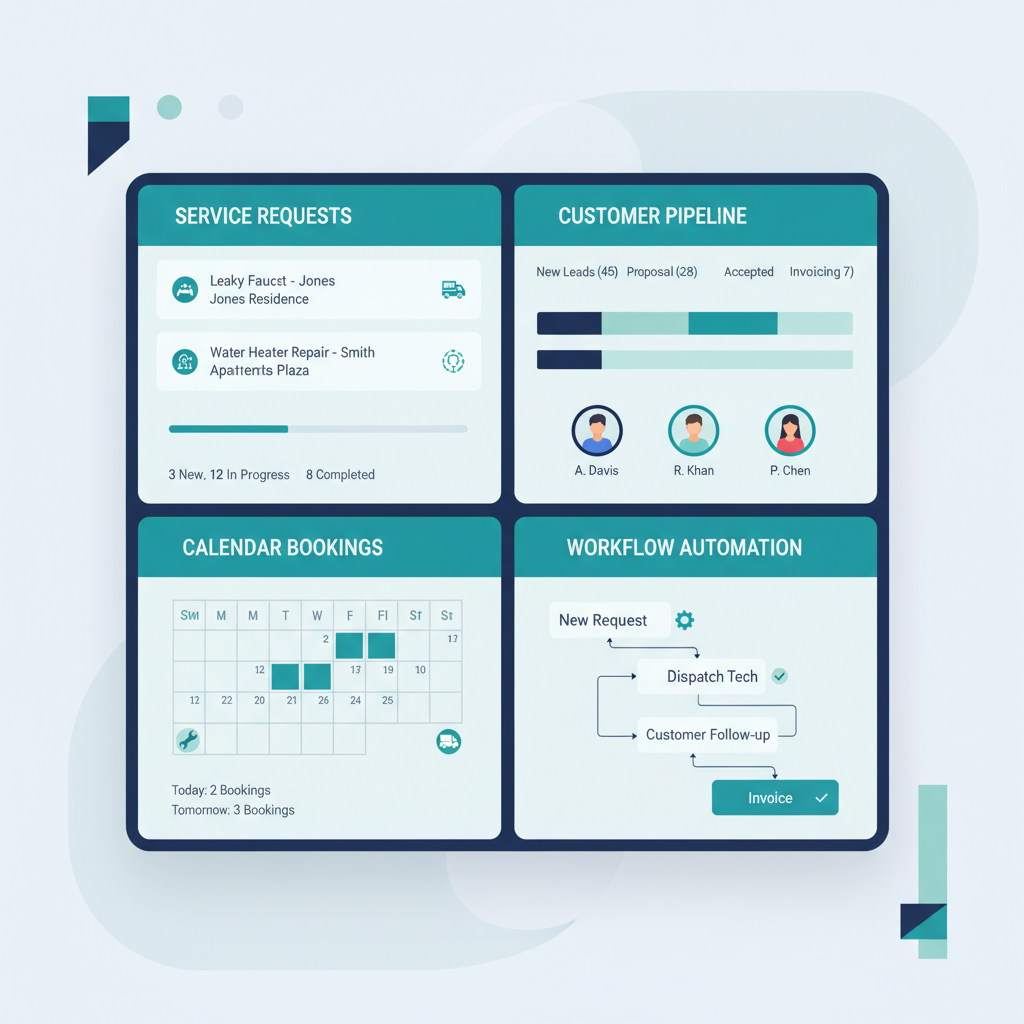
- The winning setup is simple: capture every lead, push it into the CRM automatically, route the job, and schedule the next step fast.
By Maxwell Hinman
Intro: The Call That Should Have Been Easy
A while back, I watched a plumbing business lose a perfectly good job over something small.
The customer was not angry. They were not price shopping hard. They just had a real problem, called during a busy stretch, and needed someone to give them a clear next step. The office took the message, planned to call back, and then got pulled into dispatching, rescheduling, and answering other calls. By the time they followed up, the customer had already booked someone else.
That story matters because it is normal. Most plumbing companies do not lose work because they cannot do the job. They lose work because the path from incoming lead to booked appointment is still messy.
That is why so many owners end up searching for a CRM. They know the whiteboard, spreadsheet, sticky-note, and memory-based system is starting to break under pressure. They also see brand names everywhere, especially monday.com, Hubspot, and Pipedrive, so the obvious next question becomes: which one is best?
My honest answer is that this is partly the right question and partly the wrong one.
The best CRM for plumbing companies in Wichita is the one that fits into a better workflow, not the one with the biggest feature list.
The Problem: Why Most Plumbing CRMs Underperform
When a plumbing company tells me they need a better CRM, what they usually mean is one of four things.
- Leads are coming in from too many places. Calls, forms, texts, referrals, and after-hours inquiries all arrive differently.
- Nobody trusts the data. The office has customer info in one system, job notes in another, and scheduling somewhere else.
- Follow-up is inconsistent. One person calls back quickly, another forgets, and estimates go cold.
- Scheduling depends on humans translating information manually. That is slow, expensive, and easy to mess up.
The mistake is thinking the CRM alone fixes all of that.
It does not. A CRM is a system of record. It can become the center of the operation, but only if information gets into it fast and correctly. If your team is still listening to voicemails, typing details by hand, and trying to remember who needs a callback, then even a good CRM ends up becoming a cleaner place to store bad process.
This is why many businesses buy software and still feel disorganized two months later.
The issue is rarely a lack of software. It is usually the lack of workflow automation between the first customer touchpoint and the next operational step.
For plumbing companies, that gap is expensive. Customers call because they have a problem now. If your lead capture is slow, the customer moves on. If your schedule is unclear, the office delays the response. If your CRM is incomplete, your team wastes time re-asking questions that should have already been captured.
That is where the money leaks out, and that is why I think CRM conversations should always include business automation.

Solution: What I Think Actually Works
If I were helping a Wichita plumbing company choose a CRM today, I would not start with feature comparisons. I would start with the workflow.
Here is the system I want in place:
- A customer calls or fills out a form.
- The lead is captured immediately. Name, phone, address, issue, urgency, and preferred timing.
- The information lands in the CRM automatically.
- The job gets routed based on logic. Emergency, quote, routine service, repeat customer, and so on.
- The customer gets a fast next step. A callback window, confirmation, or direct scheduling path.
- The team sees one clean record. No double entry, no scavenger hunt across apps.
- Follow-up continues automatically. Reminders, estimate nudges, and review requests do not depend on memory.
That is what turns a CRM from passive storage into an active operating system.
As for platforms, I see three common options:
monday.com is strong when you want visibility and flexible internal workflows. It is easy to understand, easy to customize, and often a good fit for owners who want a clean operational dashboard.
Hubspot is a solid choice when you want more sales structure, stronger marketing features, and deeper pipeline management. If your plumbing business is thinking beyond dispatch and into systematic growth, Hubspot can be powerful.
Pipedrive is often the simplest of the three. It keeps the pipeline clear and focused, which can be a real advantage if you do not want your team buried in options.
All three can work. But the real value comes when they connect to your intake and scheduling process. That is why I keep repeating the same point: the best CRM is the one that works with automation, not against it.
A connected system should work with monday.com, Hubspot, Pipedrive, Google Calendar, forms, and other tools. In other words, it should not force you into a total rebuild just to become more organized. It should sit on top of your process and make the whole thing lighter. That is exactly why we built our stack to work with monday.com, Hubspot, Pipedrive, and our other integrations.
Real Results: What Changes When the CRM Is Connected
When the workflow is connected properly, the wins show up fast.
First, response time improves. For local plumbing companies, speed is a huge advantage. Most homeowners are not trying to run a deep procurement process. They want someone reliable to answer, respond, and get them scheduled. If your lead capture and CRM update happen instantly, the office stops losing time in that first-contact gap.
Second, the team becomes more consistent. Every lead record starts looking the same. That means better notes, better scheduling context, and fewer dropped balls. Instead of half-complete entries and scattered texts, the business gets one source of truth.
Third, follow-up improves. This matters more than owners think. A lot of revenue is not lost at first contact. It is lost after an estimate sits untouched for three days. With workflow automation, those follow-ups do not rely on whoever happens to remember.
Fourth, the business is finally ready to benefit from demand. This is where the CRM conversation connects to search behavior. Owners are looking at CRM software, employee scheduling software, and even lead generation services because they want growth. But more leads only help if the business can capture and route them cleanly.
Lead generation without lead capture is just paying to create more chaos.
That is why I think the best CRM decision is the one that reduces admin friction, improves lead capture, and gives the business a cleaner way to schedule and follow up. Once that happens, the owner stops acting like a switchboard operator and starts running the company again.

Getting Started: What I Would Do First
If I were helping a plumbing company in Wichita clean this up today, I would keep the first moves simple.
- Map every inbound lead source, including calls, forms, and texts.
- Pick the CRM your team will actually use, usually monday.com, Hubspot, or Pipedrive.
- Automate lead capture first so every inquiry lands in one clean record.
- Then automate scheduling, reminders, and follow-up.
That order matters. Most businesses try to organize the back half before fixing the front half. I would do the opposite.
If you are comparing CRMs right now, that is a good instinct. Just do not stop at software selection. The bigger opportunity is connecting that CRM to a workflow that captures every lead and moves the customer forward faster.
That is the kind of system we build at Ice Cap Labs. If you want to see how it would fit your operation, start with our integrations page or reach out here.
— Maxwell Hinman